All programs
ReleasedWindows 10+ — standalone .exe (~262 MB), no install required
Instrument Splitter
Pull any song apart into its individual instruments with one upload.
Overview
Instrument Splitter is a small Flask web app that separates a music track into its component stems — vocals, drums, bass, and everything else — so you can remix, practise, or sample from a song you already own. You upload a track in the browser, the server runs it through the Demucs source-separation model, and each isolated stem comes back as a downloadable audio file. It bundles FFmpeg handling and can be packaged as a single executable, so it runs as a local desktop tool with a browser interface and needs no Python install.
Screenshots
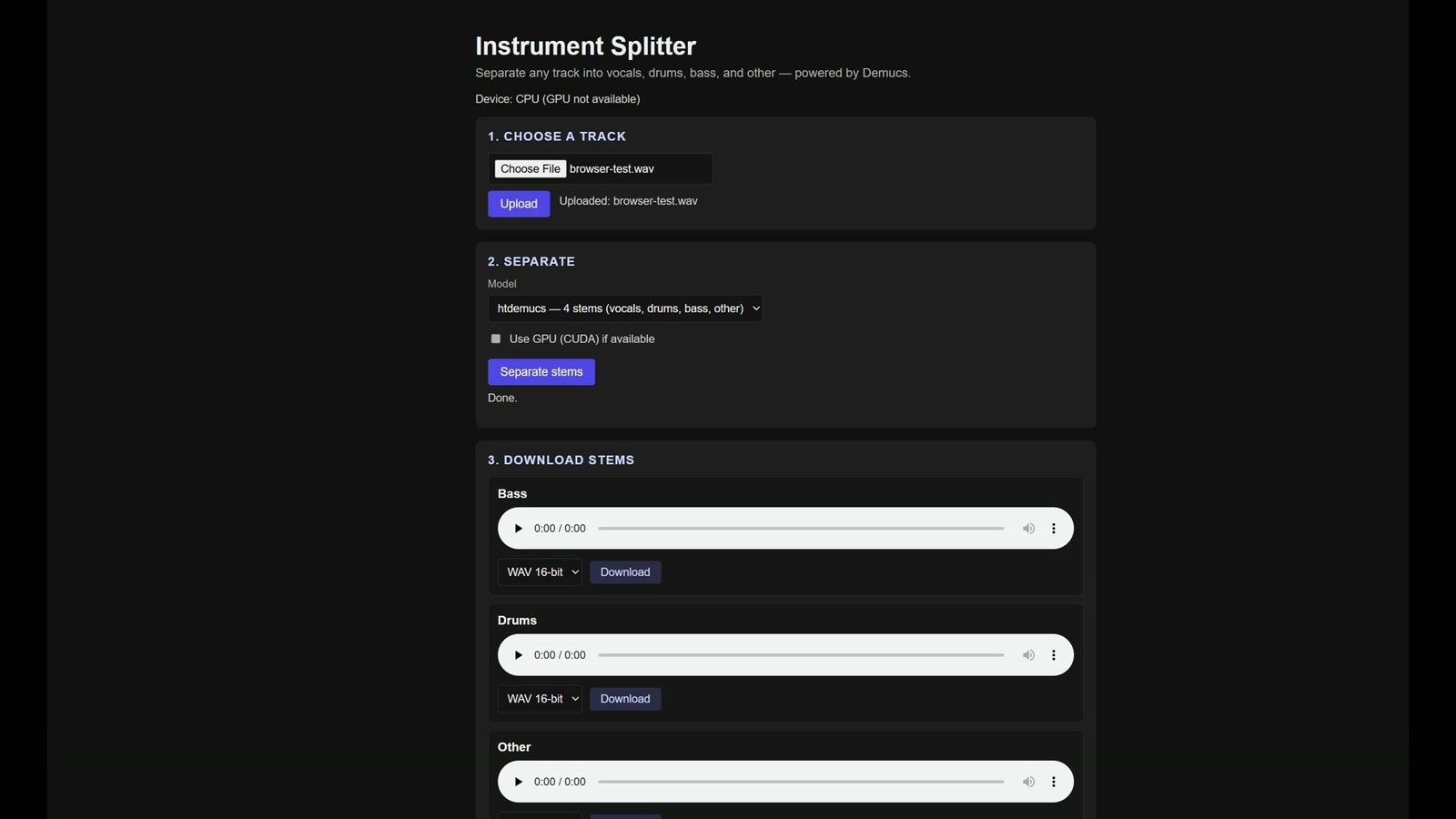
Key features
- Single .exe for Windows — no Python, no pip install, no ffmpeg setup
- Upload a track and get isolated stems back in the browser
- Demucs models: 4-stem htdemucs, higher-quality htdemucs_ft, and 6-stem htdemucs_6s
- Separates on a background worker, so the interface stays responsive on long tracks
- Preview every stem inline before you keep it, then export as WAV 16/24-bit, MP3 320, or FLAC
- Rebuild a custom mix from the stems and download it in one click
- Bundles FFmpeg, so there is nothing to configure and no PATH to edit
- Runs entirely offline after the first run; model weights download once and are cached
- Writes only to your user folder and cleans up its working files
Tech stack
- Python
- Flask
- Demucs
- PyTorch
- FFmpeg
- pydub
- PyInstaller